
Visual Intelligence Calendar Alternative
A review-first companion to iPhone screenshot event detection.
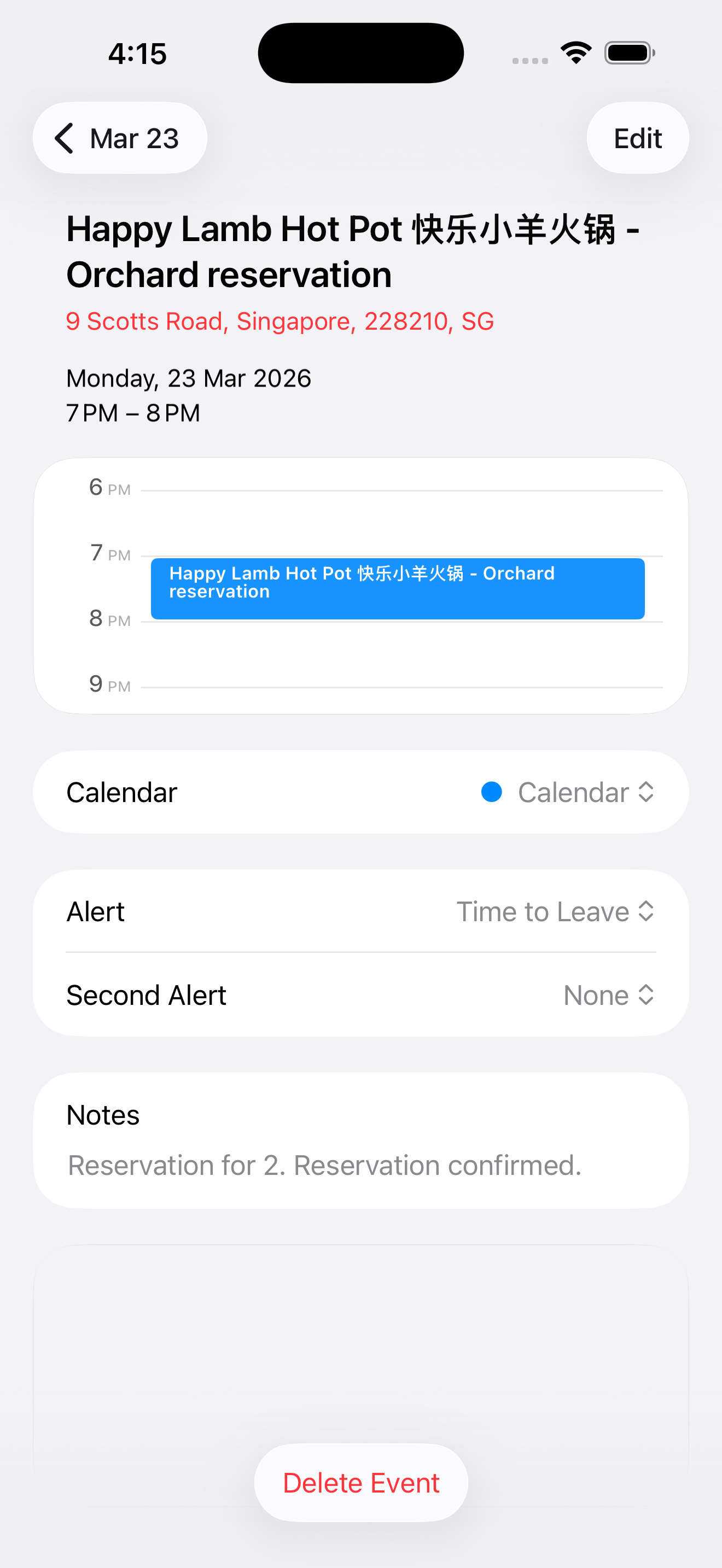
Apple's built-in visual intelligence features can help create Calendar events from on-screen content, posters, and flyers on supported Apple Intelligence iPhone models. Screenshot Calendar is not positioned as a replacement for those features. It is a dedicated review-first companion for people who want a share-sheet workflow, editable event drafts, history, ICS fallback actions, and a calmer way to handle messy screenshots.
Primary intent: Visual Intelligence calendar alternative
Review before save
Native iPhone Calendar output
Built-In Flow
What the built-in iPhone flow is good for.
Apple's flow can be convenient when your iPhone supports the feature, the event is clearly detected, and you are comfortable with the event that is offered. Current Apple support docs describe Visual Intelligence actions for on-screen content and for creating Calendar events from posters or flyers, with availability depending on supported Apple Intelligence devices, languages, and regions.
Quick actions from supported iPhone features
Poster, flyer, and on-screen event detection where available
Useful when the detected event already looks right
Availability details should come from Apple's current docs
Dedicated Review
Where a dedicated review flow helps.
Screenshot Calendar is useful when you want the review step to be the center of the workflow. Share the screenshot from Photos, continue into the app, inspect the extracted draft, and save after you have checked the fields. History gives you a place to return to the extraction, and ICS actions provide a file-based fallback when needed.
Share-sheet input from Photos
Editable event review
History for processed screenshots
ICS fallback actions
Messy Screenshots
Use Screenshot Calendar when the screenshot is messy.
Flyers, schedules, and dense screenshots can contain extra text, multiple dates, decorative layouts, or details that need judgment. A dedicated review screen helps you decide what should become a Calendar event and what should be corrected or skipped before save.
Review before save
Handle one or more extracted events
Check titles, dates, times, and locations
Save into native Calendar
No Affiliation
Compare workflows without overclaiming.
Screenshot Calendar does not use Apple logos, imply Apple affiliation, or make unsupported accuracy benchmark claims about Apple's features. The comparison is about workflow: a dedicated review step, history, native Calendar output, and fallback files for users who want more control.
Supported-device wording only
No replacement claim
No unsupported benchmark claims
Check Apple docs for current compatibility details
Questions people ask.
- Is this an Apple Visual Intelligence replacement?
- No. Use Apple's built-in features when they fit. Screenshot Calendar is a separate review-first workflow for screenshots, flyers, and schedules you want to inspect before saving.
- Why use a separate app?
- Use a separate app when you want a visible event draft, history, ICS fallback actions, and more control over messy screenshots before the Calendar save step.
- Does it still save to Apple Calendar?
- Yes. Screenshot Calendar prepares and reviews the draft, then saves the final event into the native iPhone Calendar app.
- Does it work on every iPhone?
- No page should make that broad claim. Apple Intelligence and Visual Intelligence availability depends on Apple's supported devices, languages, and regions. Screenshot Calendar has its own App Store compatibility and permission requirements.
Review the event before you save it.
Screenshot Calendar keeps the draft visible so the final event lands in Calendar only after you have checked it.